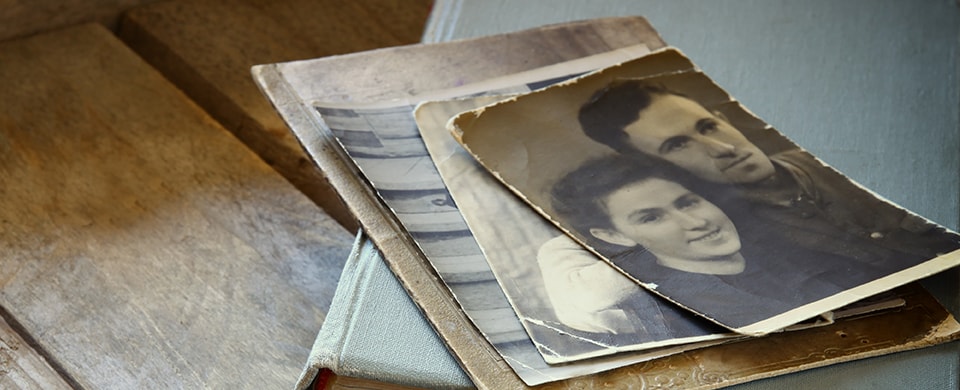
When someone close passes away, it is natural to want to gather photographs and bring them together in one place — to share, to revisit and to remember. Legacy videos and memorial slideshows have become a meaningful way for families to create a lasting visual tribute to the person they have lost.
Gathering your photographs
In the digital age, photographs tend to be scattered across phones, hard drives and old social media accounts. Older photographs may be in albums or loose in boxes. The process of bringing them together — however bittersweet — is often one of the most comforting things a family can do in the days after a loss. Old prints can be photographed on a phone or scanned at home or at a high street print shop, and even imperfect images carry a warmth that polished ones sometimes lack.
It is worth starting a shared folder — on Google Drive, iCloud or a similar service — so that family members can each contribute photographs from their own collections. People are often surprised by what others have kept.
Memorial slideshows
A memorial slideshow is a sequence of photographs, usually set to music, that runs as a short video. It may be played during the funeral service itself, shared privately with family and friends via a link, or both.
Several straightforward tools make this easier than it sounds. Apple Photos and Google Photos both include built-in slideshow features. Services such as Animoto, Smilebox and MyLifeStory are designed specifically for memorial tributes and include music libraries and templates. If you have someone in the family comfortable with video editing software, a more personal result is possible — but the simpler tools produce something genuinely moving with relatively little effort.
Legacy videos
A legacy video goes further than a slideshow: it is a short film that captures the person in their own words — telling stories, sharing what they have learned, speaking to the people they love. Legacy videos are sometimes made while someone is still alive, particularly where a terminal diagnosis gives the family time to plan. They can be made with professional help or simply filmed on a phone over a series of quiet conversations.
If you are supporting someone at the end of life, encouraging them to record their voice — even informally — is a gift that cannot later be replicated. A short recording of someone telling a favourite story, or simply saying goodbye in their own way, becomes precious in a way that is difficult to overstate.
Music and copyright
Choosing the right piece of music can transform a slideshow. A song that played at a wedding, a piece the person loved, a recording they were known to hum — music connects memory to emotion in a way that images alone cannot.
If you are sharing the video privately among family and friends, copyright is rarely a practical concern. If you plan to share it publicly or use it within a commercial platform, services such as Animoto include licensed music libraries, which avoids any complications. Your funeral director can also advise on music rights if the slideshow is to be played during the service.
Showing the slideshow at the funeral
Most crematoria and many churches and chapels have screens and the facility to play video. Let the venue and your funeral director know in advance that you plan to include a slideshow. Send the file ahead of the day — do not rely on playing it from a phone on the day itself. A brief run-through before the service to confirm the sound and picture quality is always worthwhile.
A lasting record alongside printed stationery
The photographs that bring a slideshow to life can also feature in a bespoke funeral order of service or memorial card. Together, a video tribute and well-designed printed stationery create a complete record of the person and the day — something digital to share and something physical to keep.
Keeping the slideshow safe
A memorial slideshow is worth preserving in a format that will remain accessible long after the service. Video files saved to a single phone or laptop can be lost when devices fail or are replaced. Consider keeping a copy in at least two places: on a cloud service and on an external hard drive stored safely at home. Sending the link to a shared family group means that multiple people hold it independently.
It is also worth exporting the slideshow as a standard video file rather than keeping it only inside a platform such as Animoto or iPhoto, since these services change and access can be lost. A standard MP4 file will play on any device for the foreseeable future.
The photographs gathered for the slideshow — selected and arranged with care — are themselves an archive worth keeping. A shared folder that multiple family members can access is a more durable home for them than a single person’s phone.
You may also find our guide to creating an online memorial useful alongside a video tribute, and our article on funeral photography if you are thinking about having a photographer at the service.
To talk about orders of service or memorial stationery, call us free on 0800 612 6484 or send us a message.